Unreal Engine: Modular Chains/Rope Blueprint
A quick video of it in action.
This video shows the chain in action.
Randomize (or no Random) Chain Meshes in action.
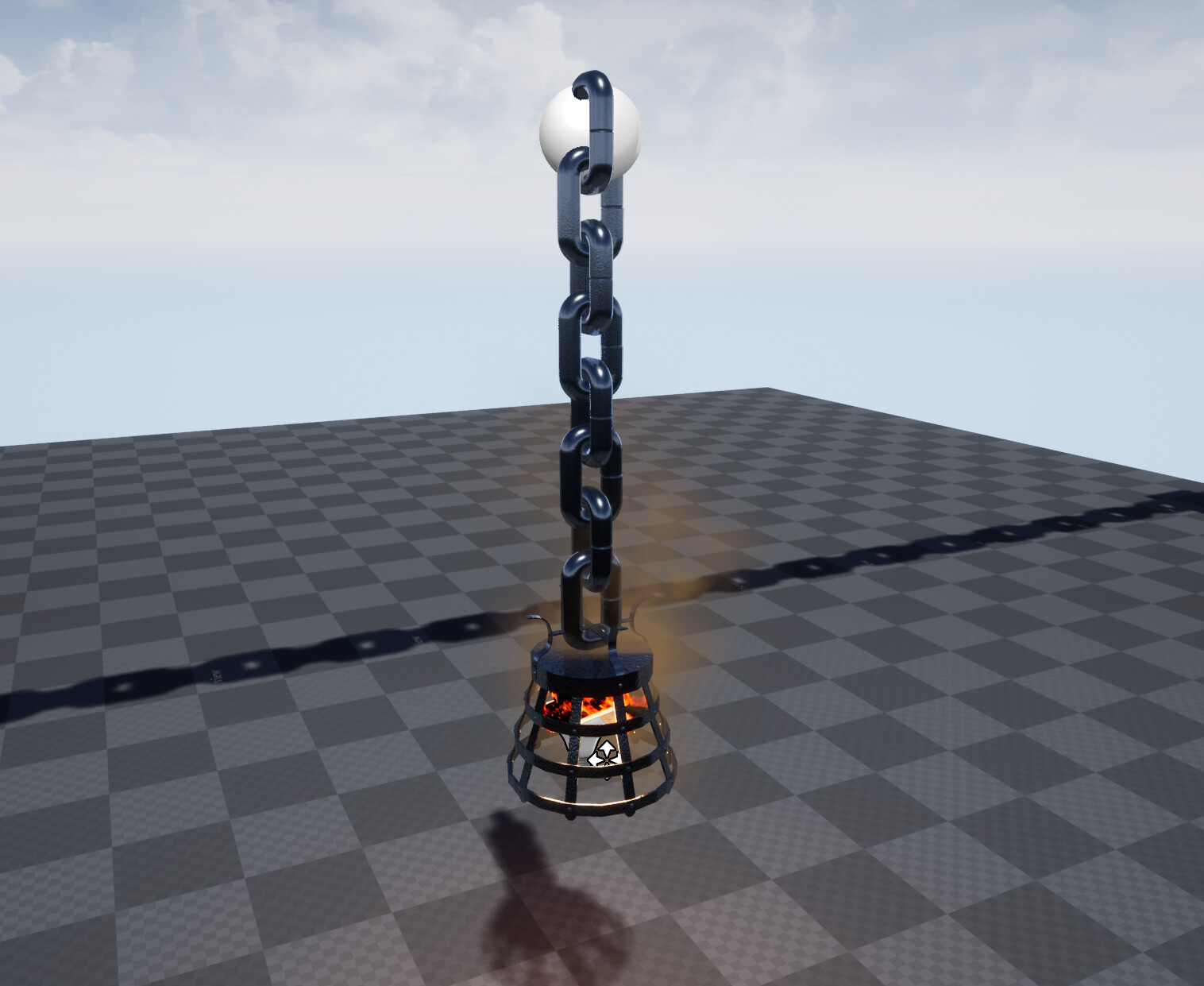
Hanging Variant, specifically scripted to support a mesh at the end.

The parameters, this can support many things, which includes different meshes to go along the chain. You can choose the mesh to be chosen sequentially, or randomly for more variance in the chain.
There is other features too.

Snapshot of the blueprint code. I commented it for my college group.
Had help from existing assets, which I learned how to do such a thing, but blueprinted it from scratch.
Modular Chains! I wanted to make this for a while but could not find many good resources online! Aside from a few tutorials, which I ended up following. I still felt it lacking. I wanted the chain to be modular, any size. I wanted it to attatch to points and act as barriers, or just be loose chains with physics.
There is a paid for variant Reid Paulhus that did what I wanted but it was still missing some of the features I desired, and had features I did not wish for while the tutorials DID have features I wished for but wasn't performing the way I wanted.
So, taking what I learned from Reid and a few YouTube tutorial, I attempted to make from scratch: A modular blueprint set of chains. I made the chains myself, including everything you you see.
* The chains mesh can be changed to anything, and can be even set with more than 1 kind of models. You can go through the array sequentially, or randomly.
* The chain can also be simulated, if its interactable, or just static, if not interactable.
* If it is simulated, you can either choose it to act more as a stiff rope, or with actual twist.
* You can also change how its attached, if its lose, or if one of the ends is loose, or if both are just fixed.
It works by basically going along the Unreal Forward axis, and adding a visual reference for the editor. Using the offset, it will link each chain to the next with physics constraints. The physics constraints will attach to a bone, for now I had mine in the center.
However, on begin play, the visual reference gets used to spawn in actual blueprints of bones, using all the parameters set. This is the part that ACTUALLY adds the physics constraints and links each blueprint chain to the next.
I made a hanging mesh variant as well, since its blueprint its easy to create just about anything.
I didn't make any more chain meshes to test if the array changes, but I had test based on material. It worked exactly as intended, and I can choose to make it go sequentially, or randomly.
I am unsure how to show full blueprint here, but if there is any question, feel free to contact me.